

Accesso in Fiera
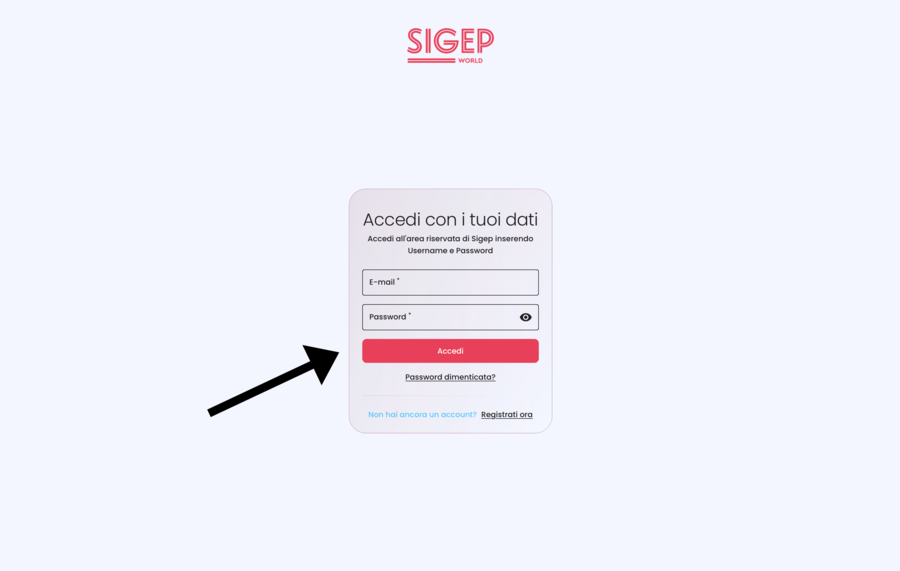
1) Accedi o registrati all'Area Riservata da qui: www.sigep.it/it/reserved-area/user/login
Access or register in the Reserved Area here: www.sigep.it/it/reserved-area/user/login
2) Utilizza solo ed esclusivamente l'indirizzo e-mail con cui ti sei iscritto al Campionato
Use only and exclusively the email address with which you registered for the Championship
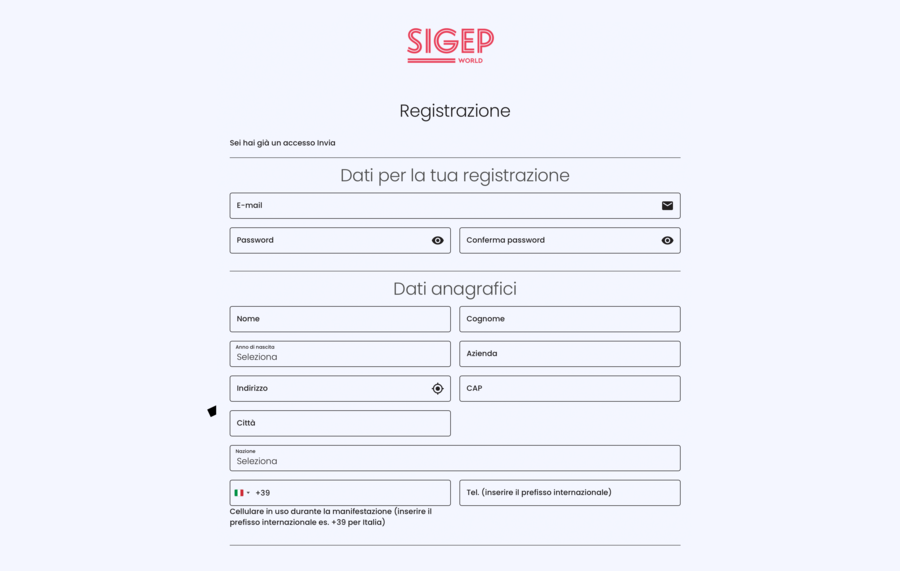
3) Al primo accesso ti verrà richiesto di inserire i tuoi dati personali oppure, se sei già registrato, di confermare o modificare i campi
Fai attenzione: è indispensabile confermare il proprio indirizzo e-mail prima di accedere per la prima volta al portale
The first time you log in, you'll be asked to enter your personal information or, if you're already registered, to confirm or change the fields
Please note: it's essential to confirm your email address before accessing the portal for the first time
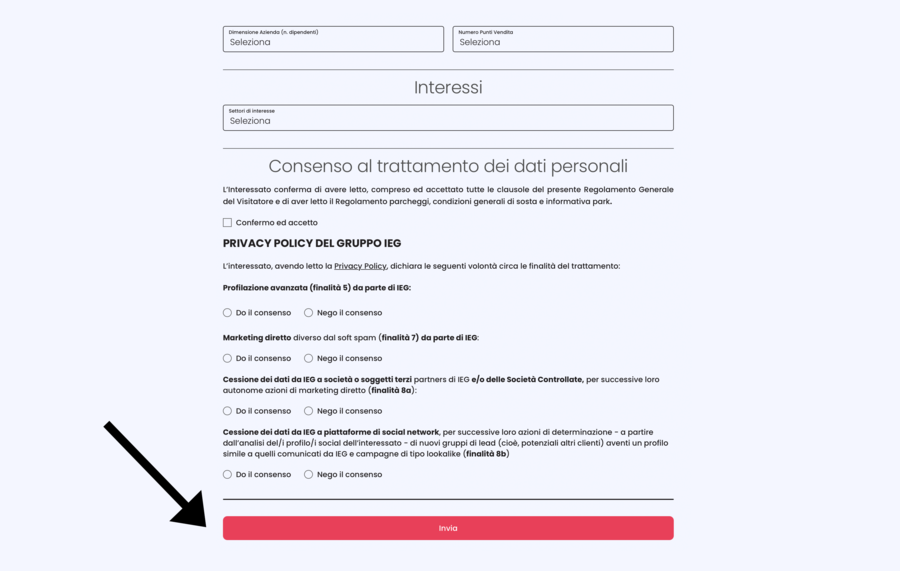
4) Accetta i consensi necessari e prosegui cliccando su Conferma (per nuovi utenti) oppure su Invia (per chi deve solo confermare i dati)
Accept the necessary consents and continue by clicking on Confirm (for new users) or on Send (for those who only need to confirm their data)
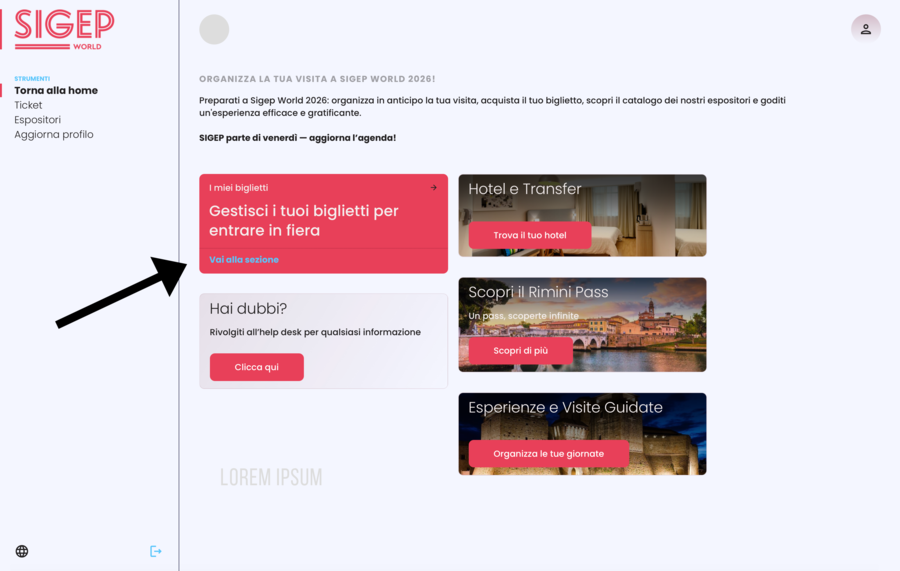
5) Clicca su Gestisci i tuoi biglietti per entrare in fiera
Click on Manage your tickets for Sigep
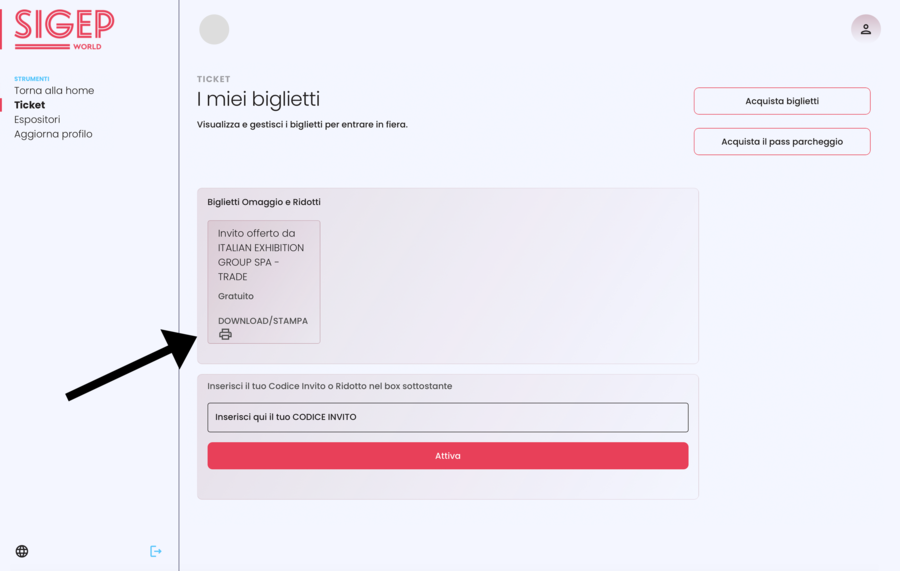
6) Verifica che nella tua Area Riservata sia presente il biglietto Invito offerto da ITALIAN EXHIBITION GROUP SPA - TRADE Gratuito
Check that the Invitation offered by ITALIAN EXHIBITION GROUP SPA - TRADE is present in your Reserved Area
7) Clicca su Download / Stampa
Click on Download / Print
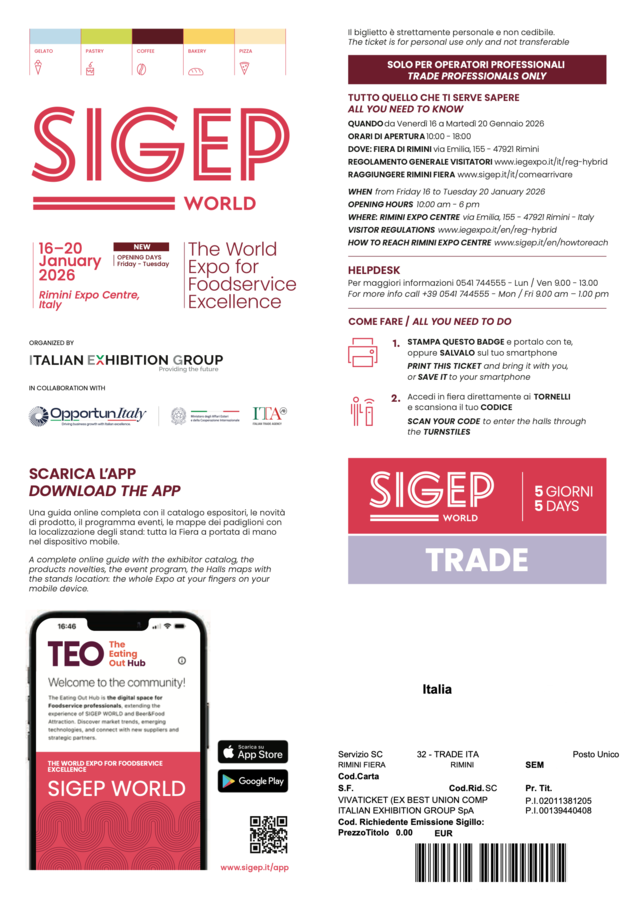
8) Verifica che il tuo biglietto contenga la dicitura TRADE 5 GIORNI
Make sure your ticket says TRADE 5 DAYS
9) Salva il biglietto in pdf sul tuo cellulare, fai uno screenshot del QR Code o stampa il biglietto da esibire in cassa
Save the ticket in PDF format on your mobile phone, take a screenshot of the QR Code, or print the ticket to show at the cashier.